GMailFS for Windows
By ericblue Categories: Review | 0 comments

I was lucky enough to finally get an invite for Google’s
GMail last week. Feature-wise,
GMail seems to be one step ahead of Hotmail and Yahoo Mail. Basic features like virtual labels,
email forwarding, and contact import are nice. But, the obvious plus is the incredible 1GB of
storage space!
Since GMail started gaining attention a couple months ago I found a few websites promising some
GMail filesystem implementation. The one I came across for Linux still seems pretty preliminary at
this point. This implementation (GMail Filesystem) uses FUSE and libgmail, but is written in Python. I suppose I would feel a little more
comfortable if the application itself was written in C or C++. However, I will still probably check
this out when I have time.
Since my primary laptop is running XP, I decided to see if anybody had written a somewhat stable
implementation for Windows. After a little bit of searching I came across the GMail Drive shell
extension (available for download at
http://www.viksoe.dk/code/gmail.htm). After installing, My Computer now displays a Gmail Drive under Other (beside Control Panel).
Clicking on the drive will prompt you to login to Google GMail.
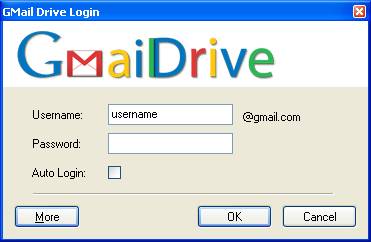
I’ve only done some basic testing so far, but for the most part it works as promised (A couple
attempts to create a file resulted in a server connection error message). Hopefully Google will
continue allowing third-party tools like this to operate in the future. I can foresee that if many
users adopt an application like this, for *nix or Windows, that the 1GB limit per user will be
quickly reached and Google may perceive tools like this a threat. In the meantime, I’m going to
enjoy my 1GB of additional space.